Chat
Ask your factory about itself. It reads its files, runs and code, and writes nothing.
The chat answers questions about a project's factory: its runs, its costs, its configuration. Use it to investigate a failure, or to design a change: a new agent, a new automation, a tighter permission. It proposes the files for you to review, and changes nothing itself.
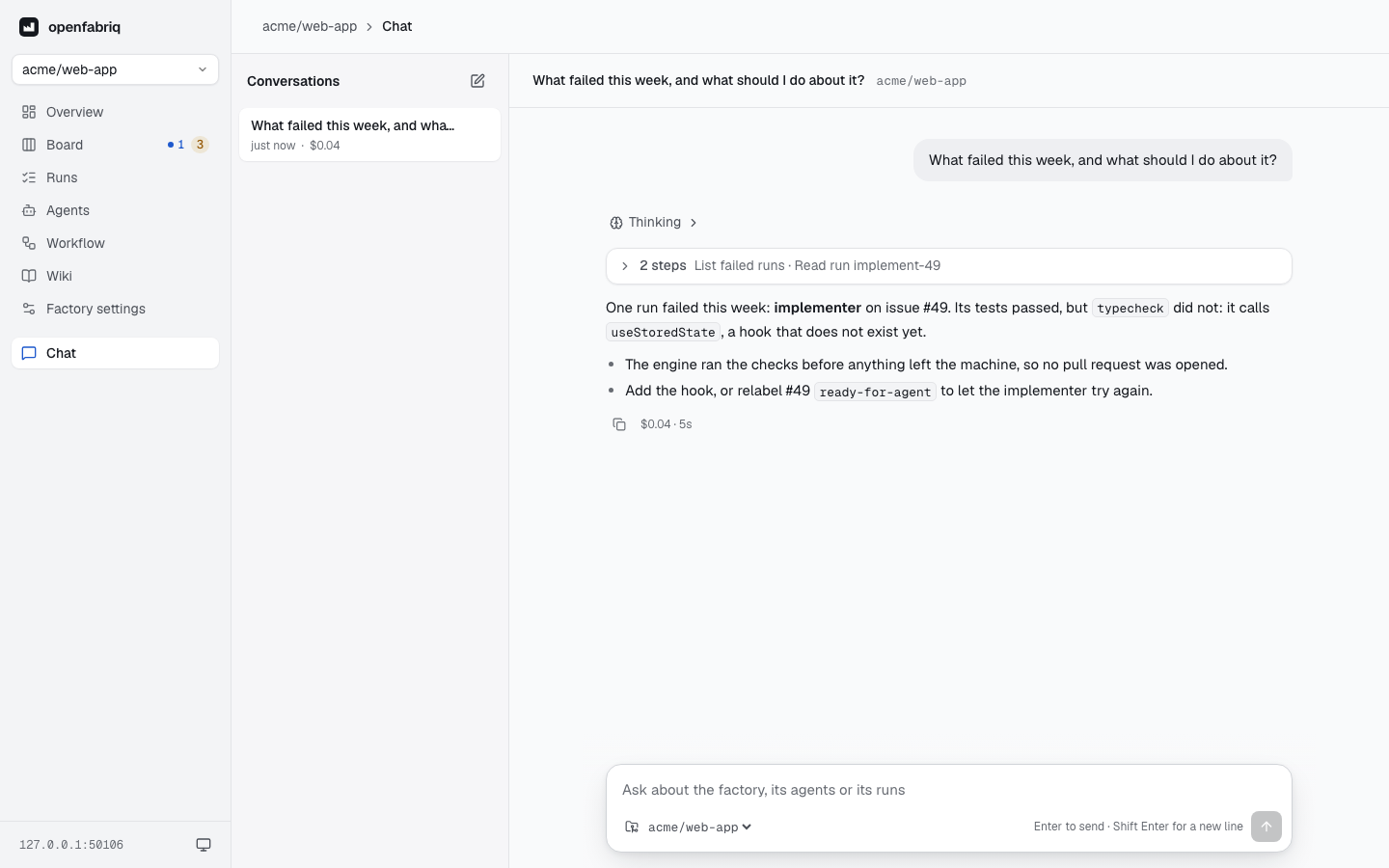
Example questions
- Why did the last run fail?
- Which issues are waiting for a human?
- How much did the factory cost this week, per agent?
- Which integrations are connected?
- Add an agent that checks the README on every pull request.
- Suggest one improvement to the factory.
- If I let the triage run for anyone, what does the plan say?
What it can read
The chat reads the applied factory, the runs and the code of the engine's clone. It has nine read-only tools: the factory's overview, the runs and each run's detail, the numbers, the board, the schedules, the wiki, the connections, and a check of a proposed change. For connections it sees only whether each service is connected, never a token.
The same tools work outside the studio, in Claude Code or Claude Desktop, with openfabriq mcp.
Improve the factory
Ask for an agent or an automation, or ask what to improve: a failure that keeps coming back, a cost that grows, an agent that does too much. The chat reads the factory and its runs, then proposes the files to add or change in openfabriq/.
Before it shows a proposal, it validates and plans the change in memory, as openfabriq validate and openfabriq plan would. With the files, it tells you:
- what changes for security: what each automation may now write on GitHub (
can), and who can start it; - the choices it made, such as reusing an agent or creating a new one, and the alternatives.
To apply a proposal, put the files in a pull request. Once it is merged, run openfabriq apply.
What it cannot do
The chat writes nowhere: not to GitHub, not to the factory. It starts no run: use openfabriq run in a terminal. To change the factory, apply its proposal as above, use openfabriq init, or edit the files.
How it works
- Conversations are listed on the left. Reopen one to continue it, or delete it in two clicks. They are stored on the machine, in the project's folder.
- While the chat answers, a line shows what it is doing ("Read run…") and for how long. The answer continues if you open another page. The stop button ends it.
- After an answer, the empty input suggests a next message. Press
Tabor→to take it. - Each answer shows its cost. A message cannot cost more than
usd_per_run. - One message at a time per project.
- The chat runs with your Claude Code, like the runs, and with the same protections: no repository hooks, and file tools limited to the project.