Board
Everything the factory is working on, on one screen, in four columns.
The board shows every issue and pull request the factory touches, by where the work stands. Use it to see what needs you.
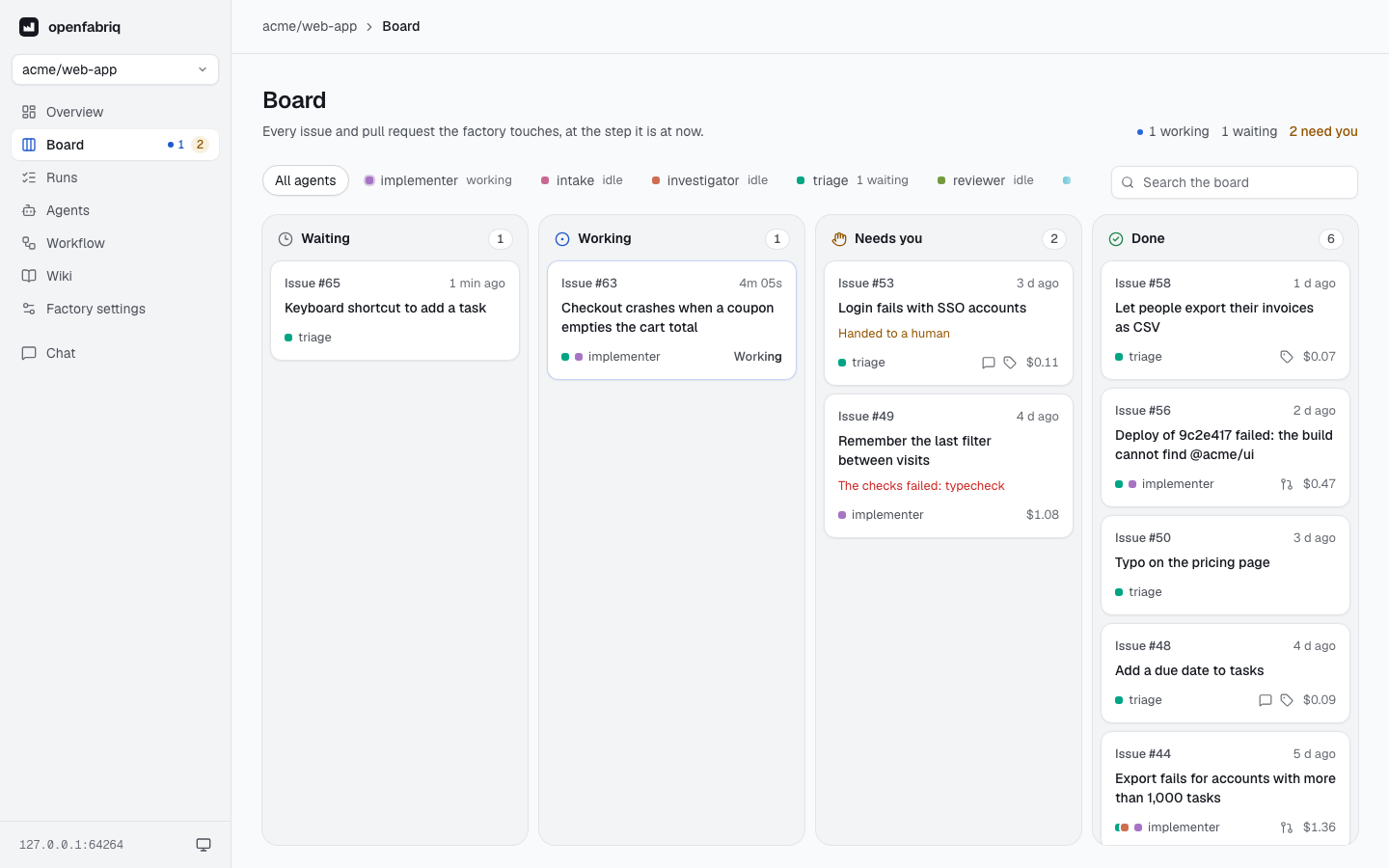
Columns
Each issue or pull request has one card, in the column of its latest run.
| Column | Meaning |
|---|---|
| Waiting | Queued until a slot is free or a run on the same issue ends |
| Working | An agent is working on it now; the card shows the elapsed time |
| Needs you | A run failed, or the work was handed to a human with needs-human, until someone takes the label off or the issue or pull request is closed |
| Done | The latest run succeeded, or its issue or pull request is closed. The column keeps the 20 latest cards; the older ones are in Runs |
Cards
A card shows the current agent, the agents that handled it before (the dots), what the engine wrote (a comment, labels, a pull request) and the cost. Click a card to open its latest run.
Runs on the whole repository, such as a schedule or a push to the default branch, have a card while they wait, work or need someone.
Agents and filters
The strip above the columns lists every agent and what it is doing now. Click an agent to show only its cards. The navigation shows how many items need you, on every page.