Agents
Who works, when, with which rights, tools, skills and MCP servers.
The agents page lists a project's agents and what each one may do. Use it to review a factory, including with people who do not read YAML.
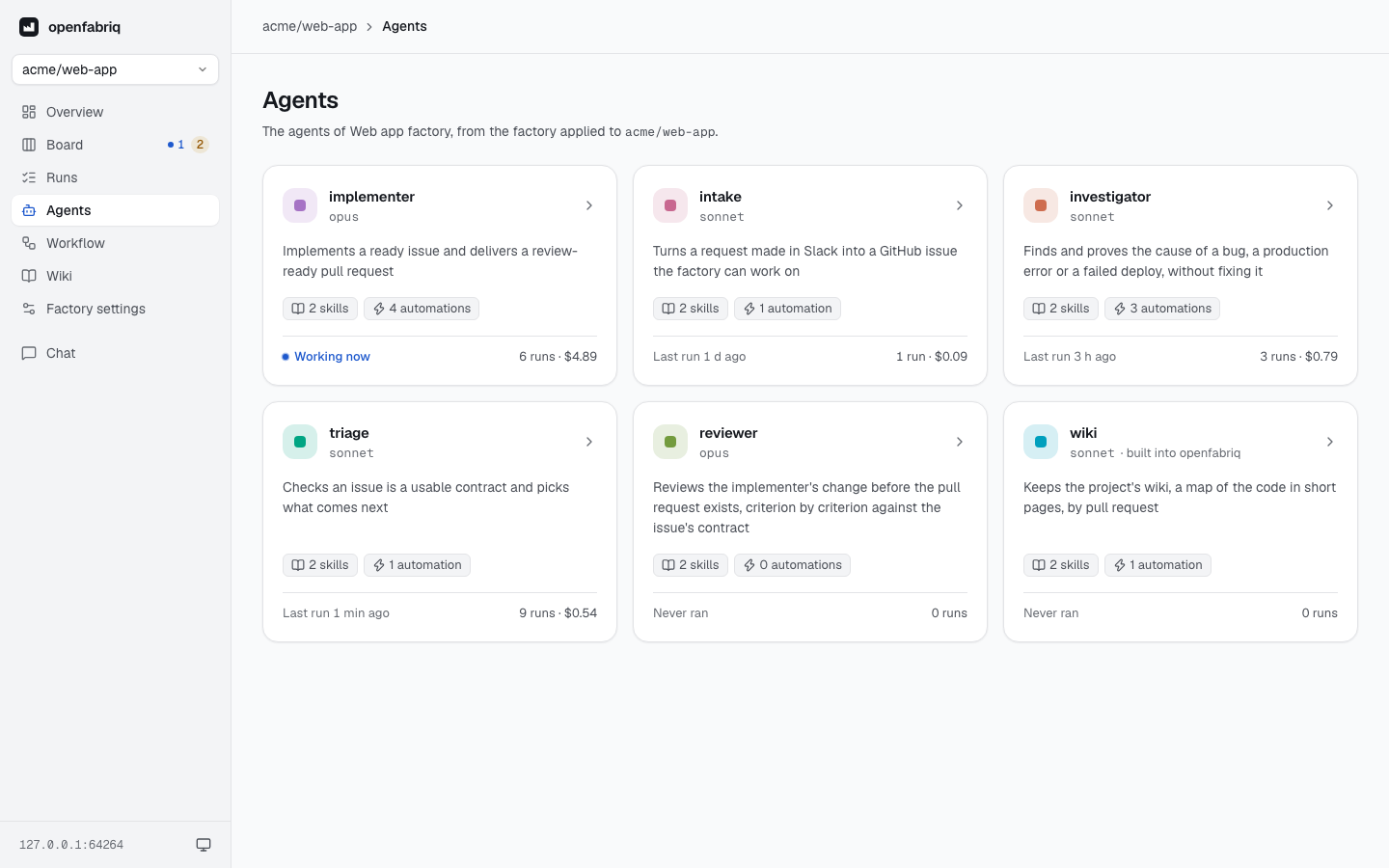
Agents appear in the order work reaches them, starting closest to where work enters. A factory ordered by area has a section per area, after the agents at the root. Each card shows the agent's color (the same everywhere in the studio), its description and model, its tools, its number of skills and automations, what it is doing now, its runs and their cost.
An agent's page
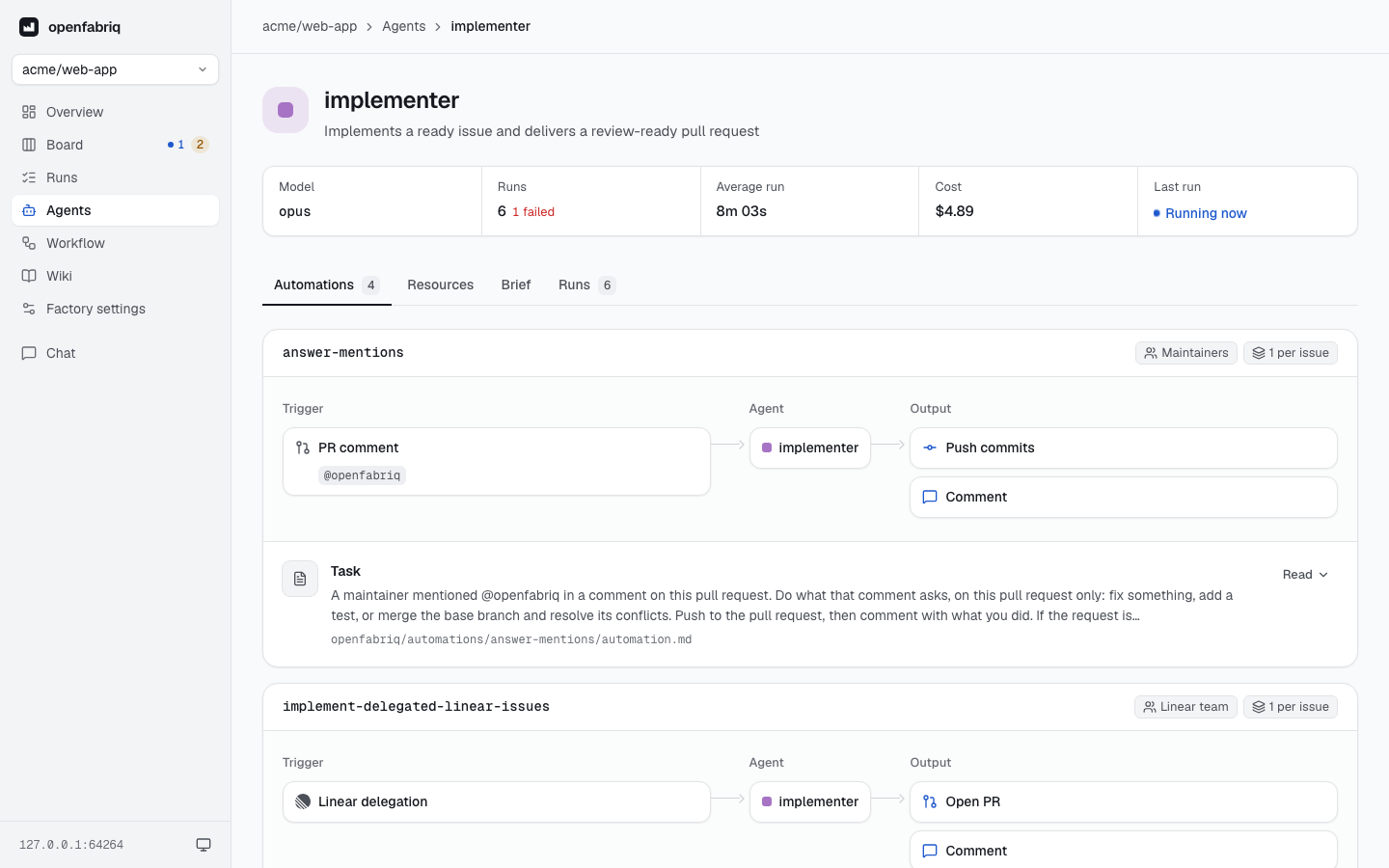
The header shows the agent's name, color, description and model, and its numbers: runs, average duration, cost and last run. The agent.md button beside the name opens the agent's file as last applied, with a link to it on GitHub. The engine's own agents, such as the wiki's, have no file and no button.
The tabs follow: Automations (where the page opens), Skills, Resources, Brief and Runs. Automations, Skills and Runs show their count. A tab has its own address, with tab=: #/agents/reviewer?tab=brief.
Automations
Each automation that starts the agent is drawn left to right:
- Trigger: the events, with their labels, schedule or query.
- Agent: the agent itself.
- Output: the rights of the automation. Labels added show
+, labels removed show−.
Then:
- two badges: who can start it (Maintainers or Anyone on GitHub, or the source: Slack channel, Linear team, Sentry, Webhook, Schedule), and how many runs it allows at a time (1 per issue or 1 per repo);
- its Task, the body of
automation.md; - for a schedule, its time in words ("every day at 02:00"), the next run in the factory's time zone, and the last run;
- with
reviewed_by, a box under the agent: Reviewed before it reaches GitHub by the reviewer, up to N rounds (the factory'sreview_rounds). Click the reviewer to open its page.
On a reviewer's page, a Reviews section follows its own automations: those whose change it reads before it reaches GitHub, drawn the same way, and counted in the tab. When no automation starts the agent and it reviews none, the tab says how to add one.
Skills
Its own skills and the factory's. When it has none, the tab says where to add one.
Resources
- Tools: the agent's tools and the Claude Code tools they enable.
- MCP servers:
openfabriqfirst, the engine's own server with the outputs its automations allow, then the factory's servers with the tools the agent may call. - Commands and checks: the commands it can run by name, and the checks that judge its code.
Brief
The body of agent.md, open. The tab is left out when the file has no body.
Runs
The agent's latest ten runs, with a link to all of them on the runs page. The tab is left out until the agent has run.
Reading files
Task, brief and skills open like files. A line names each one and its path in openfabriq/. Click it to read the full text in place, formatted, with a switch to the Markdown source.