Factory settings
What factory.yaml sets, in plain words, and what is still missing on this machine.
The factory settings page shows what openfabriq/factory.yaml sets for the project, as last applied, in one tab per part of the file. Each tab has its own address, and each setting says what it does, with its key in the file.
The page only reads. Its Edit button links to the file on GitHub and says how to change a setting: edit openfabriq/factory.yaml, run openfabriq plan, then openfabriq apply.
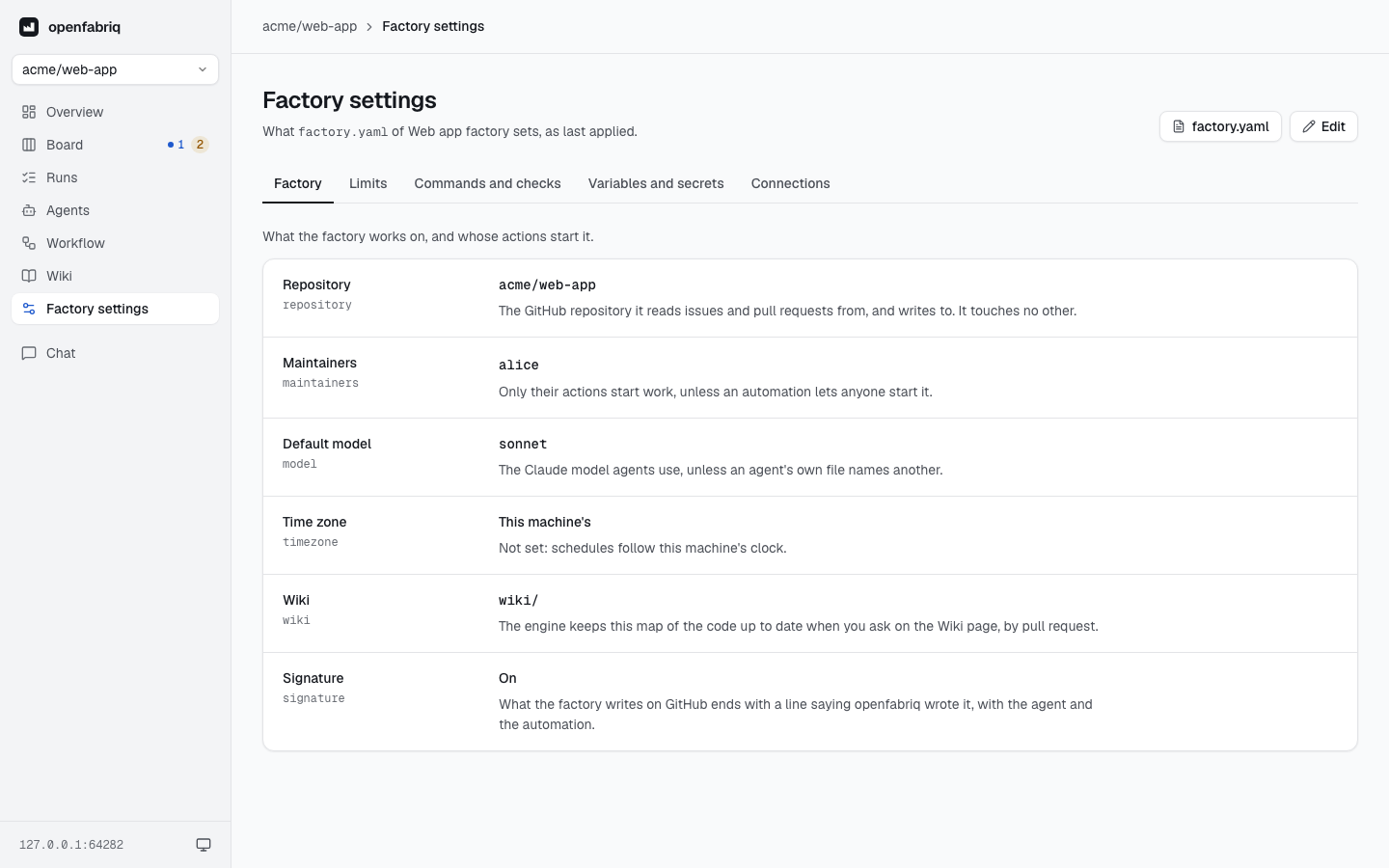
Tabs
| Tab | Shows |
|---|---|
| Factory | The repository, the maintainers whose actions start work, the default model, the time zone of the schedules, the wiki folder and when it is refreshed, and whether what the factory writes on GitHub is signed |
| Limits | The cost per run and per day, the time per run, and the review rounds before a pull request goes to a person |
| Commands and checks | The setup run before every agent, the project's commands, and the checks run before code leaves the machine |
| Variables and secrets | The variables written in the file, with their values, and the secrets, by name only |
| Connections | GitHub, Slack, Linear, Sentry, webhooks, MCP servers, and the relay when the factory needs it |
A setting the file leaves out reads Not set, with what that means. A webhook that is not signed carries a warning: anyone who has its address can start automations.
Agents and automations have their own pages: Agents and Workflow.
Ready on this machine
Some settings need something that lives on the machine, not in the repository: a secret's value, Slack's or Sentry's token, the relay. For each one, the page says Ready or Missing, and gives the command that sets it up, such as openfabriq secret set STRIPE_KEY --project acme/shop or openfabriq connect relay.
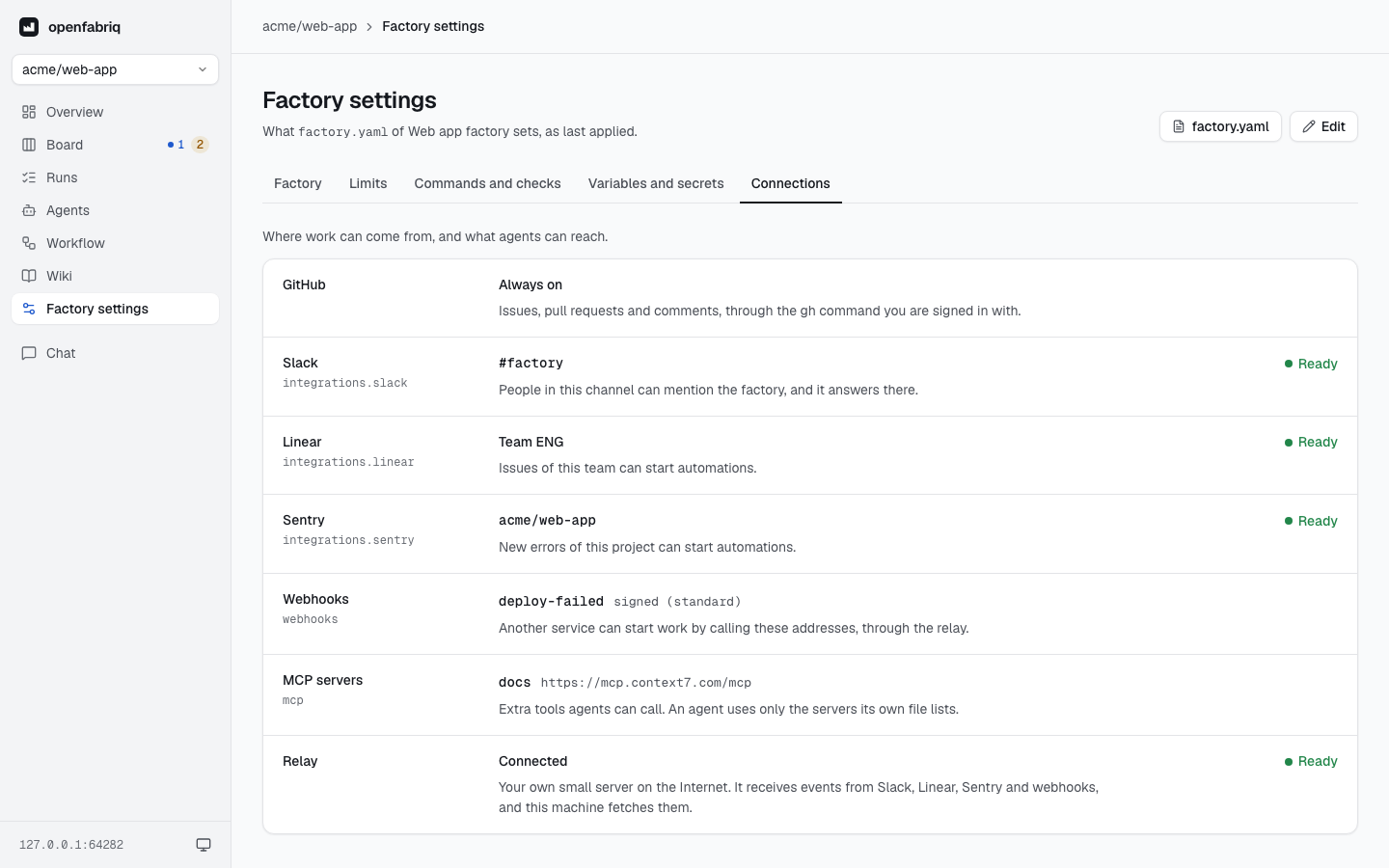
When something is missing, a line at the top of the page names it, with a link to the tab where it is. The studio never shows a secret's value or a token: it only knows whether one is set.