Runs
Every run, and for each one what happened, why, and what the engine applied.
The runs page lists every execution of an automation. Open a run to see what started it, what the agent did, and which outputs the engine applied or refused.
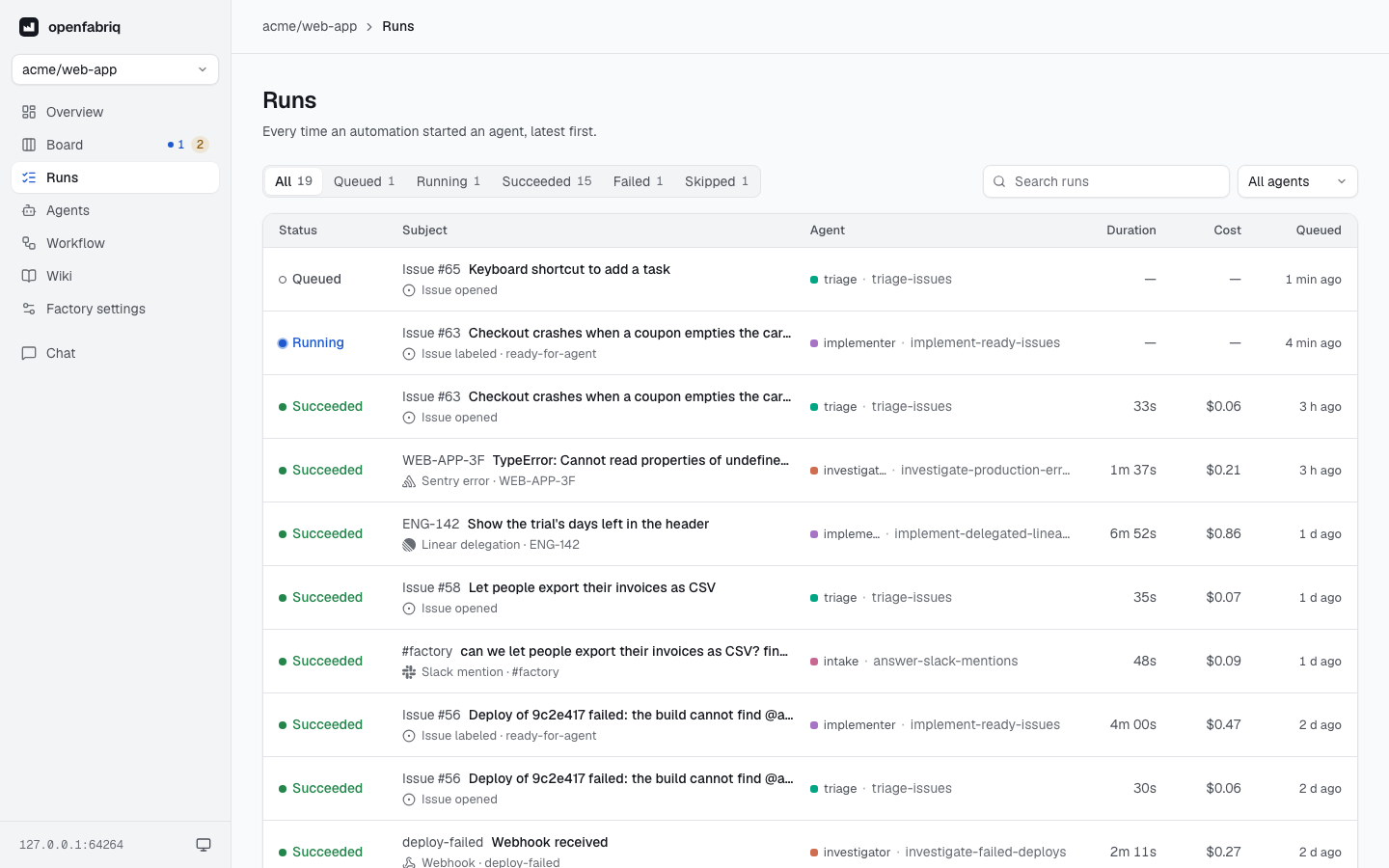
The list filters by status and by agent, and searches the runs by their text. It shows each run's duration and cost, and its source when the source is not GitHub (Slack, Linear, Sentry or a webhook).
A run
A run's page shows the result first, then how it got there. The header gives the status, the agent, the subject (a link to GitHub, Slack or Linear), the start time, the duration and the cost. A run in progress refreshes every 3 seconds, and its duration counts up.
When a run needs you, a panel under the header says what to do, and gives the openfabriq run command when the run can start again. It covers:
- a run that failed, and why;
- a pull request or issue handed to you;
- a run skipped because the day's budget is spent;
- outputs that were not written;
- a run that ended without proposing anything (its report says why). The engine's log and
openfabriq statusshow it too:succeeded … (the agent proposed no output).
Summary
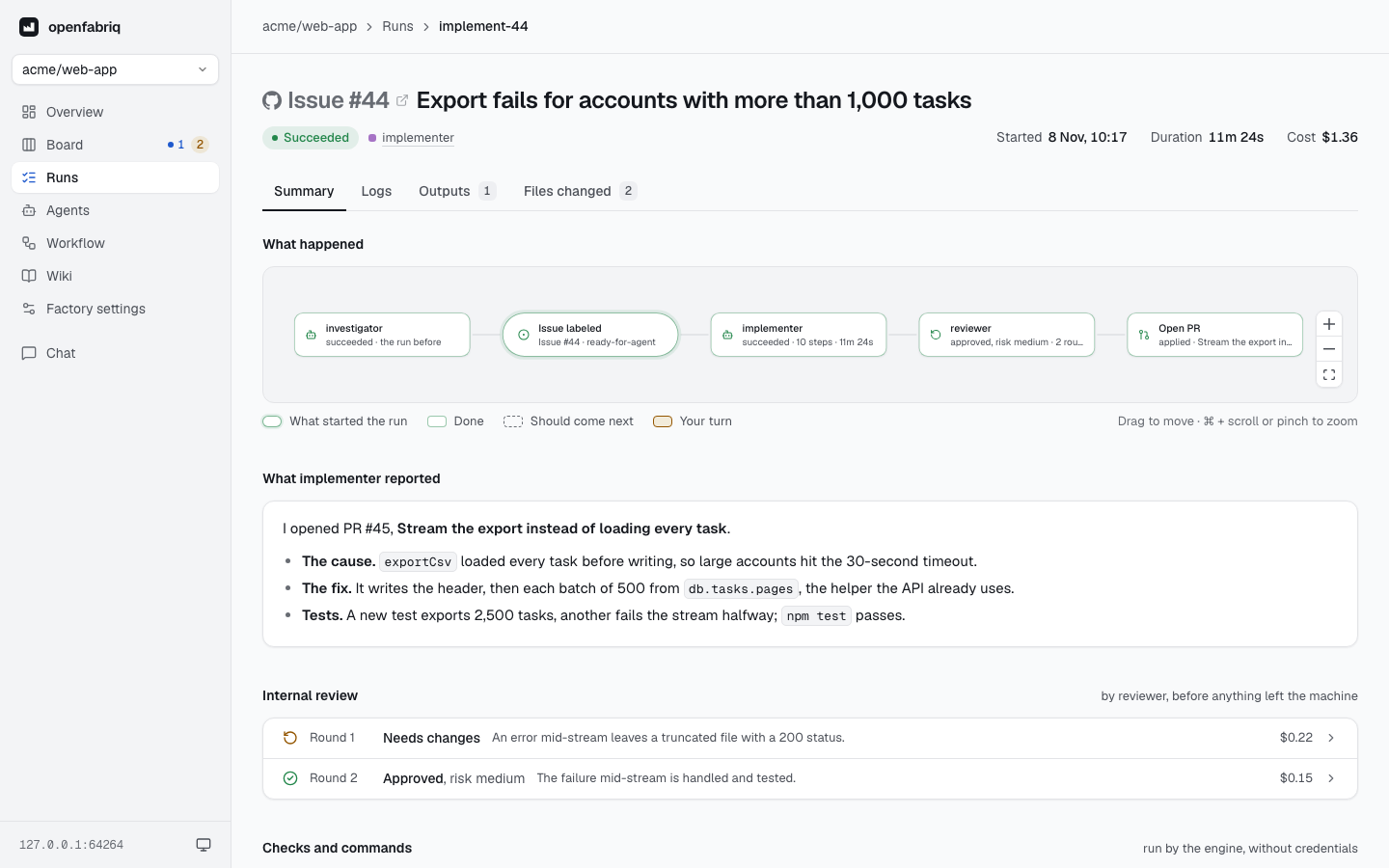
- What happened draws the chain: the event that started the run, the agent, each output and its result, and the run that comes next, or your turn.
- What the agent reported is the agent's last message: what it did and why.
For an automation with reviewed_by:
- the chain shows the reviewer between the agent and what it wrote, with its verdict and number of rounds;
- Internal review lists each round before the pull request: its verdict, the risk of an approval, the summary and the cost, opening on the findings;
- the logs say when each round started, between the agent's steps, and the outputs show the pull request the agent proposed last: the one the engine opened.
Logs
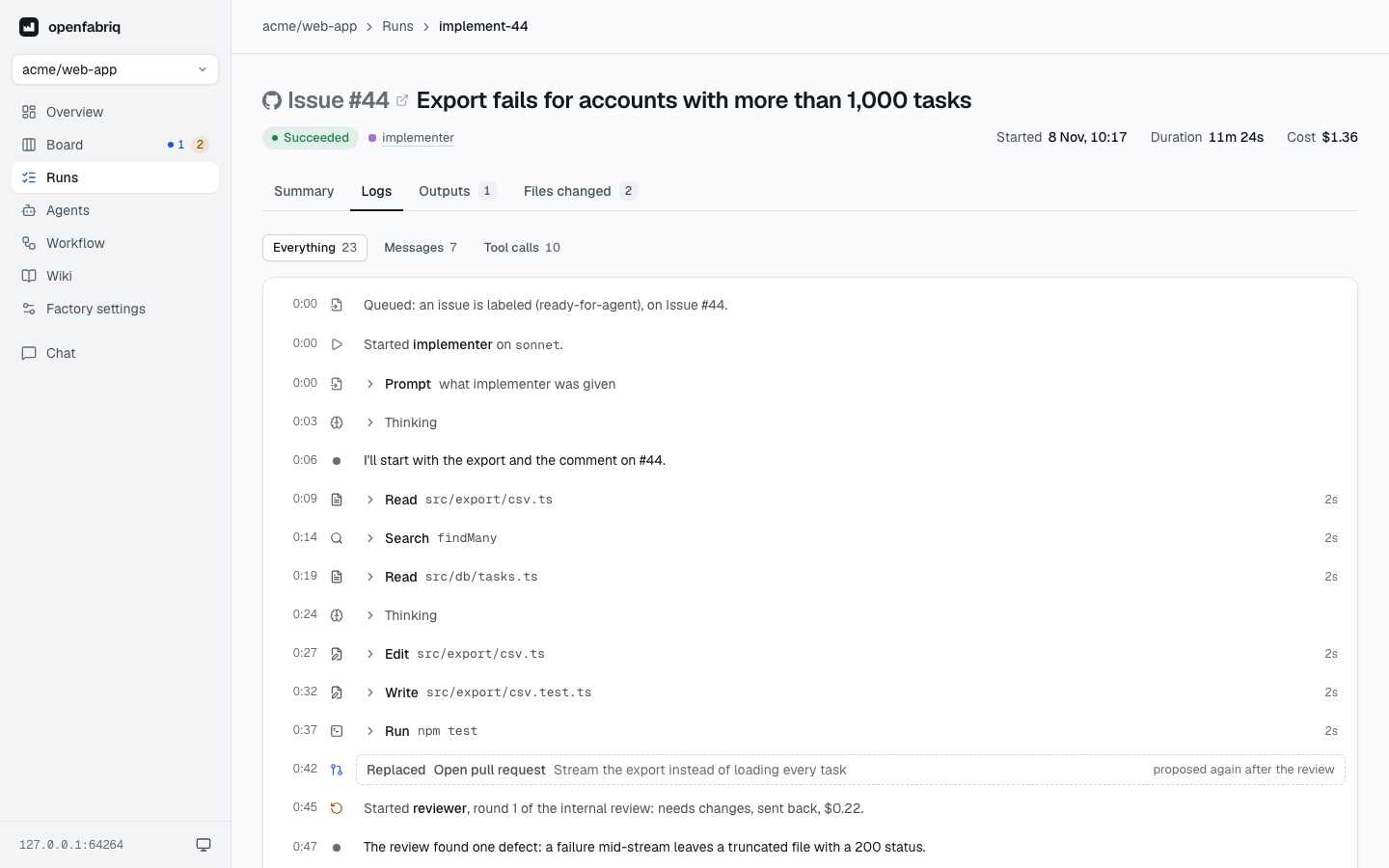
The logs show the run as a timeline, from the moment it was queued:
- when the agent started, and on which model;
- the prompt it received, folded;
- each command and tool call on one line, which unfolds to its details and duration;
- each output it proposed, and its final message;
setup, checks and commands run by the engine, with their result, duration and the end of their output.
Filter on Messages to read only the agent's words, on Tool calls to read only its actions, or on Errors when there are some. Everything shows it all again.
The run details list the variables passed to commands (names only, never values), the missing secrets, and the MCP tools the agent requested but did not get.
Outputs
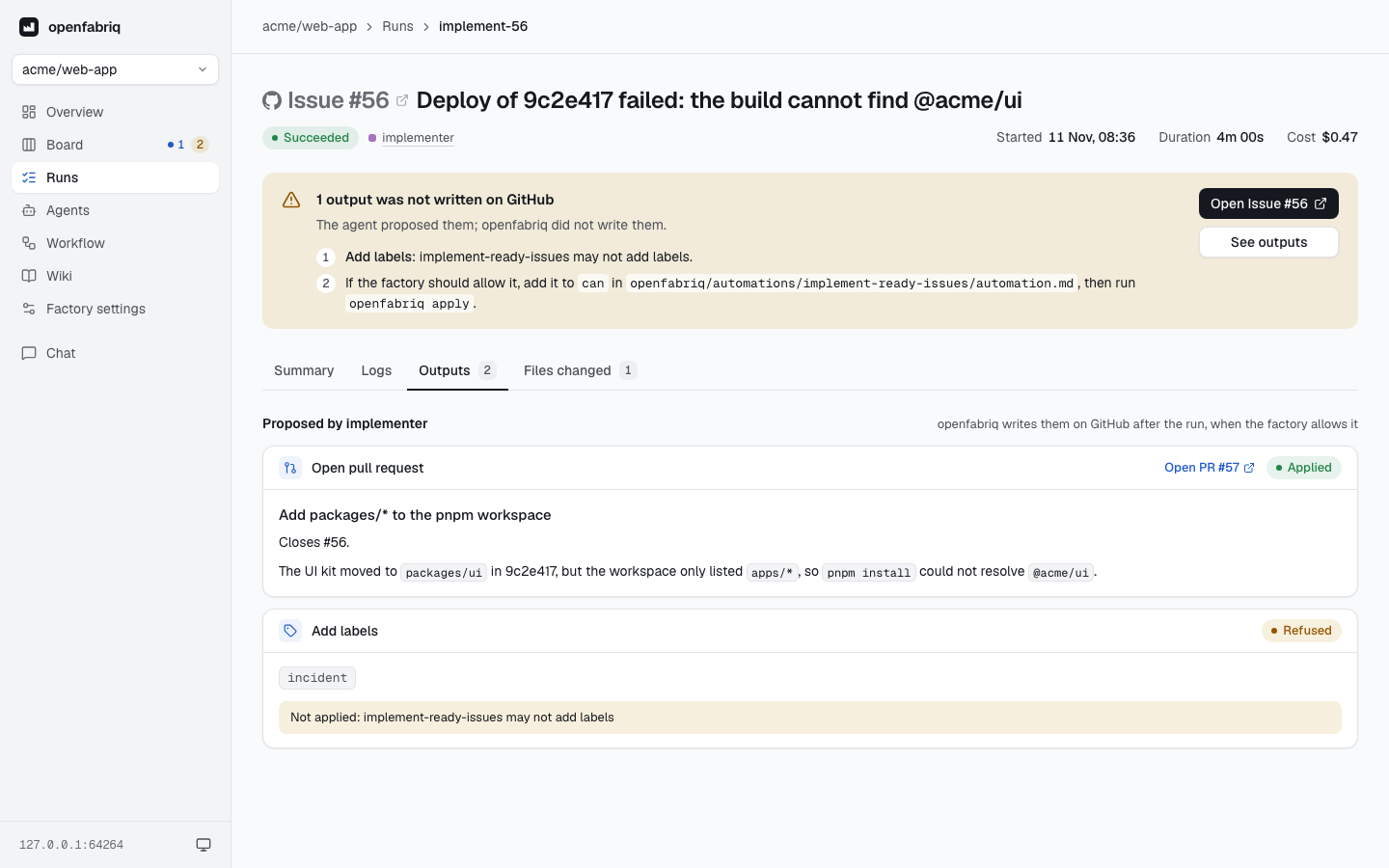
Each output the agent proposed appears in full: the comment, the review or the pull request. Each is marked applied, or refused with the reason: not allowed by can, checks failing, or a workflow file changed. Below, what openfabriq wrote on its own, such as its note handing a pull request over to a person.
A run started in Slack, Linear or Sentry answers there, so its outputs are named after where they are written, here, in the logs and in the summary: a Slack reply, a Linear comment or Linear labels, a Sentry note. Its pull requests and issues stay on GitHub.
Files changed
The files the run changed in its own copy of the repository, read from Git when the run ends: its commits and what it left uncommitted, whether the agent edited a file or wrote it through its shell.
- Each file shows its lines added and removed and its diff, as on GitHub: line numbers before and after, added and removed lines in colour, three lines of context around each change.
- Files start folded, so the tab reads first as a list with counts. A run that changed one short file opens it.
- A binary file shows no diff, nor does a file past what openfabriq keeps (256 KB of diff per file, 2 MB per run). Its counts stay.
- While the run is going, the list comes from the agent's edit calls only, each with the text it replaced.
- The tab is hidden when the run changed no file, after a triage or a review for instance.