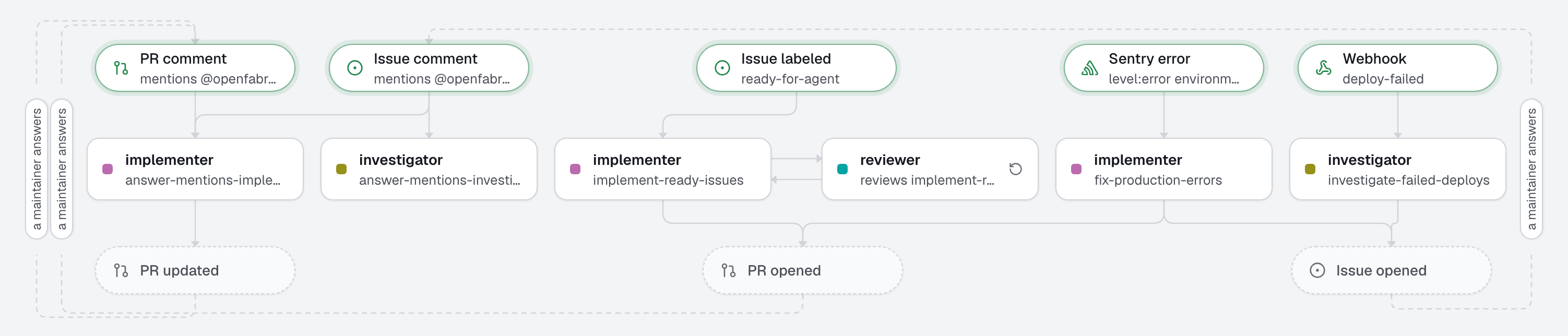
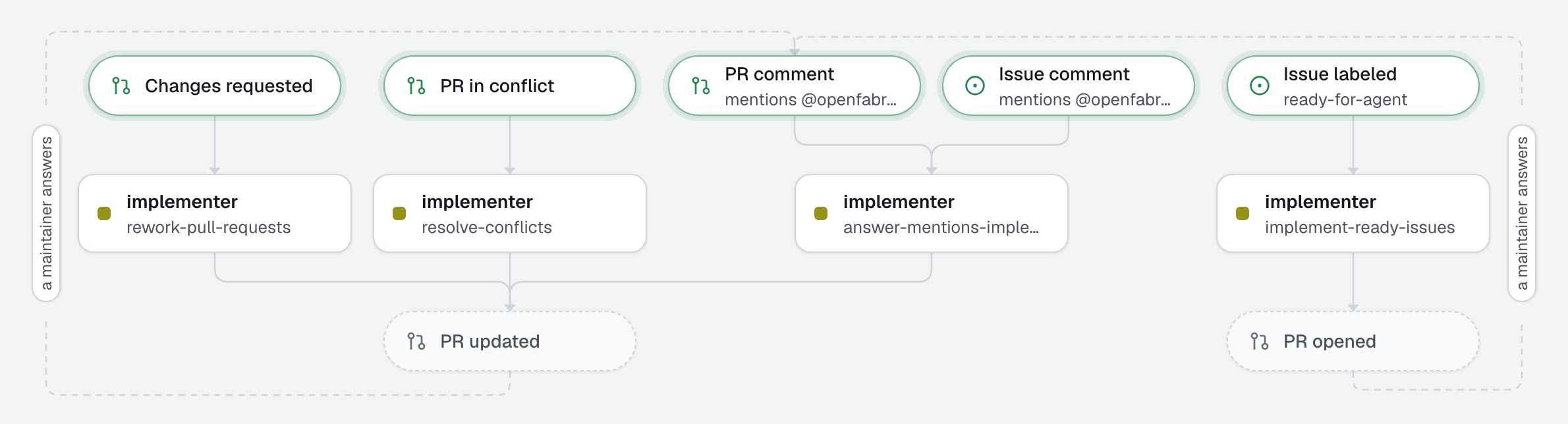
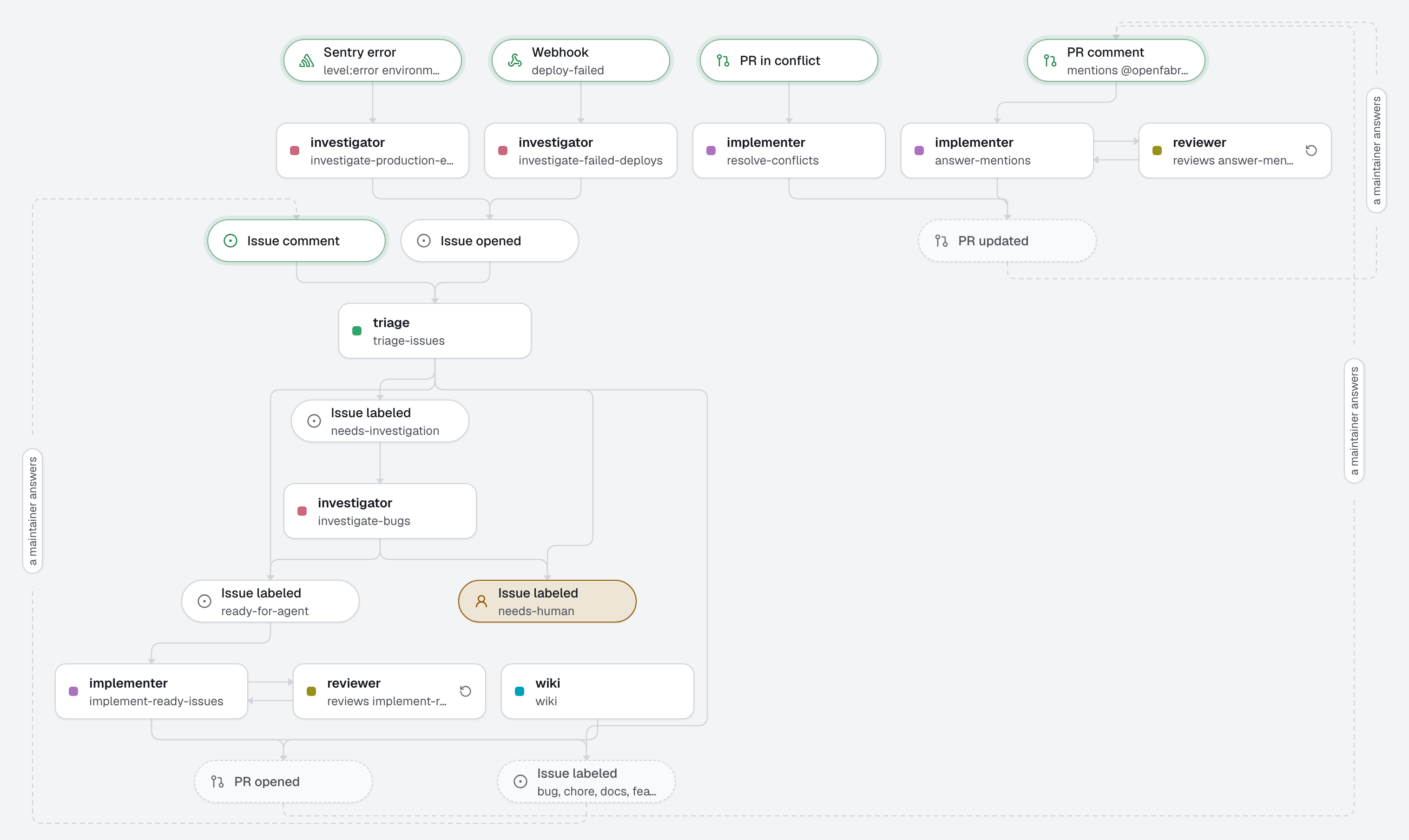
The factory works where the team already talks. Someone mentions it in a Slack channel: the request becomes a GitHub issue, with its link in the thread. Someone assigns a Linear issue to openfabriq, like a teammate: an agent works in a fresh checkout of the repository, shows its progress in the issue's agent session, and answers there with the link of the pull request. A new production error in Sentry becomes a GitHub issue that explains its cause. A human reviews and merges on GitHub.
Slack, Linear and Sentry reach openfabriq through your relay, a Cloudflare Worker you deploy once with openfabriq connect relay (a free account is enough), or the same code on a server of yours. It keeps what comes in while your machine sleeps; the agents still run on your machine.
What this factory does
The GitHub issues, from Slack or from Sentry, then enter your usual flow: combined with 02-sdlc (see below), issue.opened starts triage, and the implementation starts once the issue is ready-for-agent. A request made in Slack is checked before any code is written, and leaves a trace on GitHub. The engine opens the issue with the gh account.
Least privilege: the Slack automation may only reply and open an issue, and its agent only reads; the Linear one may only answer and open a pull request; the Sentry one may only open an issue and add a note. None can push to an existing pull request or review one: validate refuses it for runs that come from Slack, Linear or Sentry. The investigator has no edit tool. Before the implementer's pull request leaves, the engine runs checks itself: a failing check goes back to the agent, and if it still fails, no pull request is opened.
Stack traces can carry personal data (emails, ids in URLs). The engine leaves out frame variables, and the investigator is told not to copy personal data into the issue; read the issues it opens with that in mind.
Tree
openfabriq/
├── factory.yaml                              integrations (slack, linear, sentry), setup, commands, checks
├── agents/
│   ├── intake/agent.md                       turns a Slack request into a GitHub issue
│   ├── implementer/agent.md                  delivers a clear Linear request, asks when it is not
│   └── investigator/agent.md                 finds the cause of an error, fixes nothing
├── automations/
│   ├── answer-slack-mentions/                when: slack.mentioned
│   ├── implement-delegated-linear-issues/    when: linear.issue.delegated
│   ├── investigate-sentry-errors/            when: sentry.issue.created level:error environment:production
│   ├── rework-pull-requests/                 when: pull_request.changes_requested
│   └── resolve-conflicts/                    when: pull_request.conflicted
└── skills/
    └── test-driven-development/SKILL.md      test first, red then green, the failing run as proof
Who can start it
maintainers are GitHub logins; they do not apply to Slack, Linear and Sentry. There, the gate is the place: anyone in the Slack channel, anyone of the Linear team, any error that reaches the Sentry project. Use a private channel. openfabriq plan lists adding or changing slack, linear and sentry as security changes.
Make it yours
- Copy the
openfabriq/folder to the root of your repository. - In
factory.yaml, replacerepository,maintainers, the Slackchannel, the Linearteamkey, the Sentryorganizationandproject(addurlfor a self-hosted Sentry), thesetupcommand and thecommands. Adjust the Sentryquery: it is Sentry's own search,times_seen:>50works too. - Run
openfabriq connect relay, thenopenfabriq connect slack,openfabriq connect linearandopenfabriq connect sentry: they guide you, test the tokens, give the relay what it keeps and save the rest in~/.openfabriq/secrets.json. Installing openfabriq in Linear needs an admin of the workspace. - In Linear, Settings, Integrations, GitHub, add the repository: each issue then lists its pull request.
- Invite the bot to the channel:
/invite @openfabriq. - Run
openfabriq plan,openfabriq apply, thenopenfabriq start.
With 02-sdlc
A repository has one openfabriq/ folder. To add the team chat to the 02-sdlc factory, copy into it:
- under
integrationsin itsfactory.yaml, theslackandlinearkeys (it already hassentry); agents/intake/andautomations/answer-slack-mentions/;agents/implementer/asagents/linear-implementer/, since02-sdlchas its ownimplementer, for the issues triage found ready; andautomations/implement-delegated-linear-issues/, withagent: linear-implementer.
Leave out this factory's investigator and investigate-sentry-errors: 02-sdlc has its own, investigate-production-errors. Then run openfabriq validate and openfabriq plan.