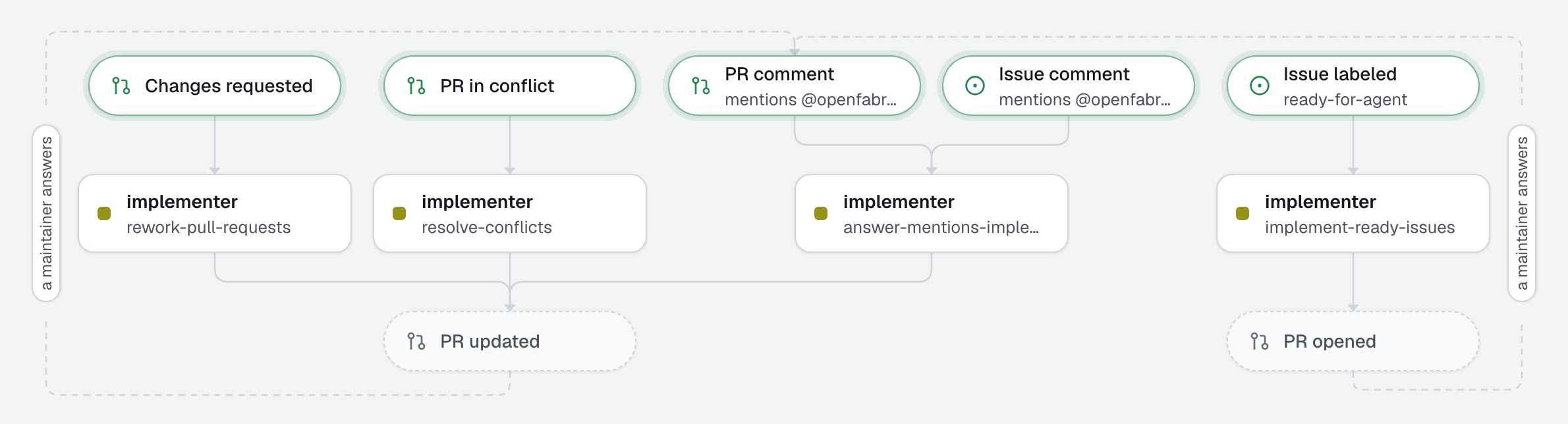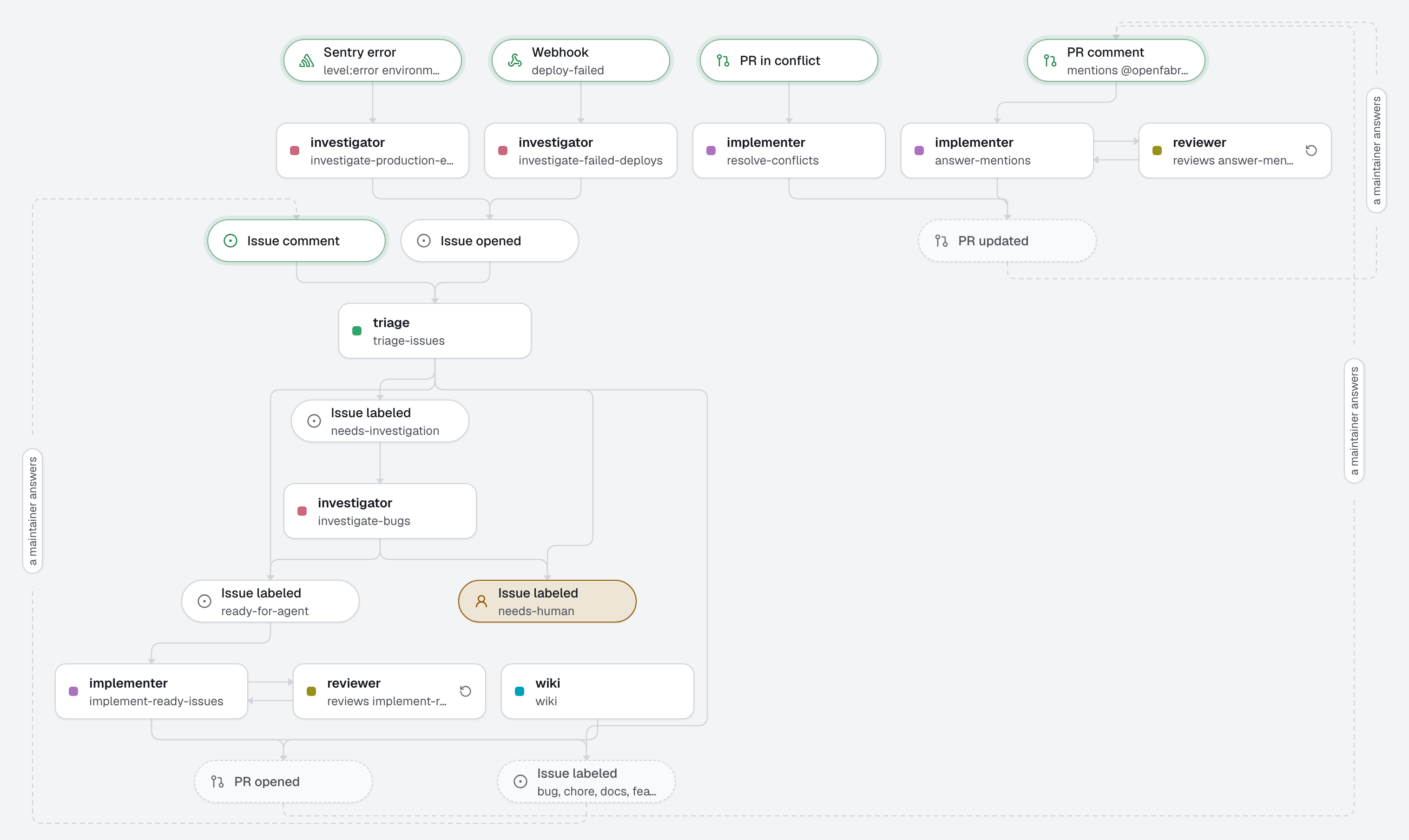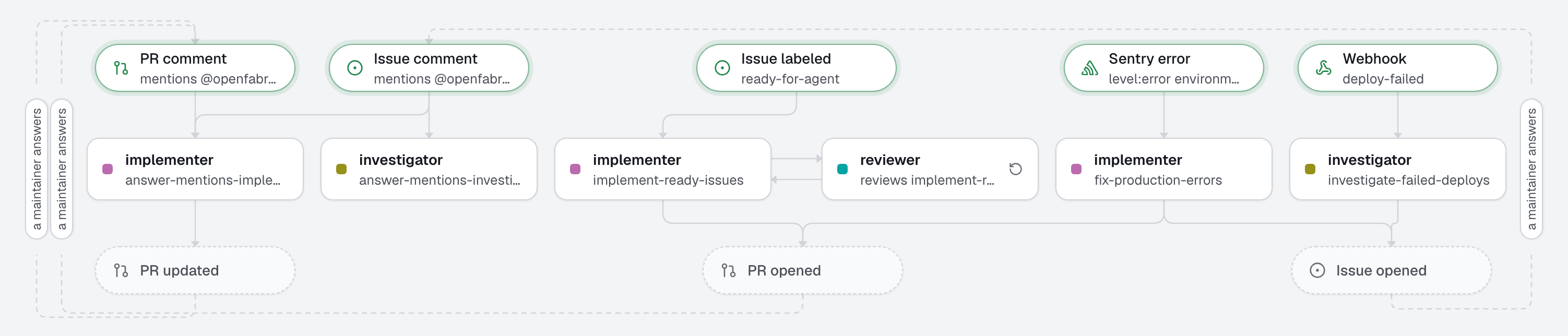
The whole format in a handful of files: three agents, three automations, one shared skill, an integration, a webhook and an MCP server. A maintainer labels an issue and gets a pull request, read by a reviewer before it opens; a new production error becomes a fix on its own; a failed deploy becomes an investigated issue. A human merges.
Start here to see what a factory is. Start from 01-quickstart to set up your first one, and read 02-sdlc for a full engineering flow with triage and review.
What this factory does
Every pull request has passed pnpm test and pnpm lint, run by the engine before it leaves the machine. On a labeled issue, reviewed_by: reviewer has the reviewer read the change first: it sends it back to the implementer until it approves, then the pull request opens with ready-to-merge and its risk, or with needs-human when the rounds run out. The implementer and the investigator read up-to-date library documentation through the docs MCP server (Context7), with two read-only tools.
Least privilege: the investigator and the reviewer have no edit tool; the investigator may only open issues, and the reviewer writes nothing on GitHub, it only gives a verdict. The implementer may open pull requests and issues, comment, and remove ready-for-agent from an issue too vague to act on, but neither add labels nor push to an existing pull request.
Tree
openfabriq/
├── factory.yaml                               checks, Sentry, the deploy-failed webhook, the docs MCP server
├── agents/
│   ├── implementer/
│   │   ├── agent.md                           turns an issue or an error into a proven pull request
│   │   └── skills/test-driven-development/SKILL.md  test first, red then green: for this agent only
│   ├── investigator/agent.md                  finds why a deploy failed, fixes nothing
│   └── reviewer/agent.md                      reads the implementer's change before the pull request opens
├── automations/
│   ├── implement-ready-issues/                when: issue.labeled ready-for-agent, reviewed_by: reviewer
│   ├── fix-production-errors/                 when: sentry.issue.created level:error environment:production
│   └── investigate-failed-deploys/            when: webhook.received deploy-failed
└── skills/
    └── writing-for-maintainers/SKILL.md       shared by every agent: issues, comments and pull requests a maintainer acts on
Make it yours
- Copy the
openfabriq/folder to the root of your repository, or runopenfabriq init --example 00-at-a-glance. - In
factory.yaml, replacerepository,maintainers, thesetupandcommands, and the Sentryorganizationandproject. Your stack and conventions belong in your repository'sCLAUDE.md, which every agent reads first, not in a skill. - Run
openfabriq plan: it lists the labels it will create (ready-for-agent, and the review'sready-to-merge,risk:*andneeds-human), and, as security changes, the Sentry integration, the webhook and the MCP server. openfabriq apply.- Connect the services, on the machine that runs the engine:
openfabriq connect relayonce: Sentry and the webhook both come through it;openfabriq connect sentry: a token withproject:read,event:readandevent:write;openfabriq connect webhook deploy-failed: it prints the URL and thewhsec_secret to give your deploy platform (any sender that follows Standard Webhooks). Not using Sentry? Deleteautomations/fix-production-errors/and theintegrationskey. Not using the webhook? Deleteautomations/investigate-failed-deploys/, thewebhookskey andagents/investigator/, which nothing else starts.
openfabriq start.