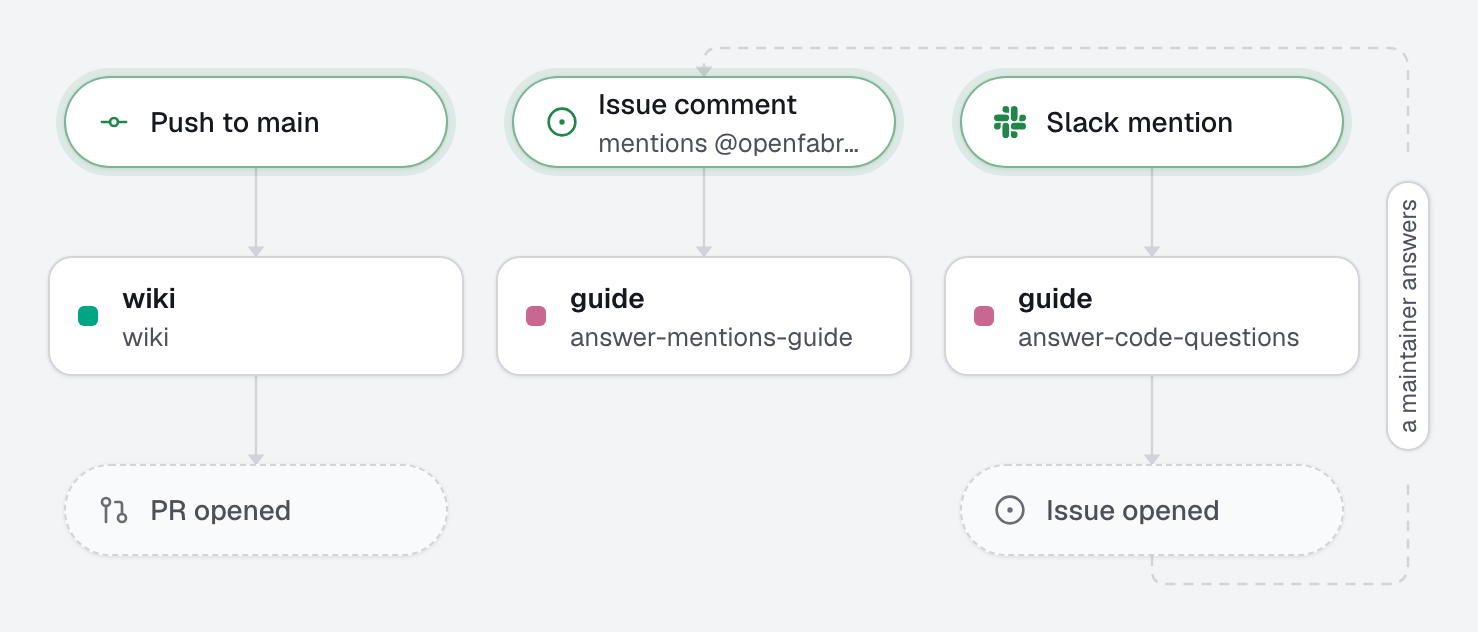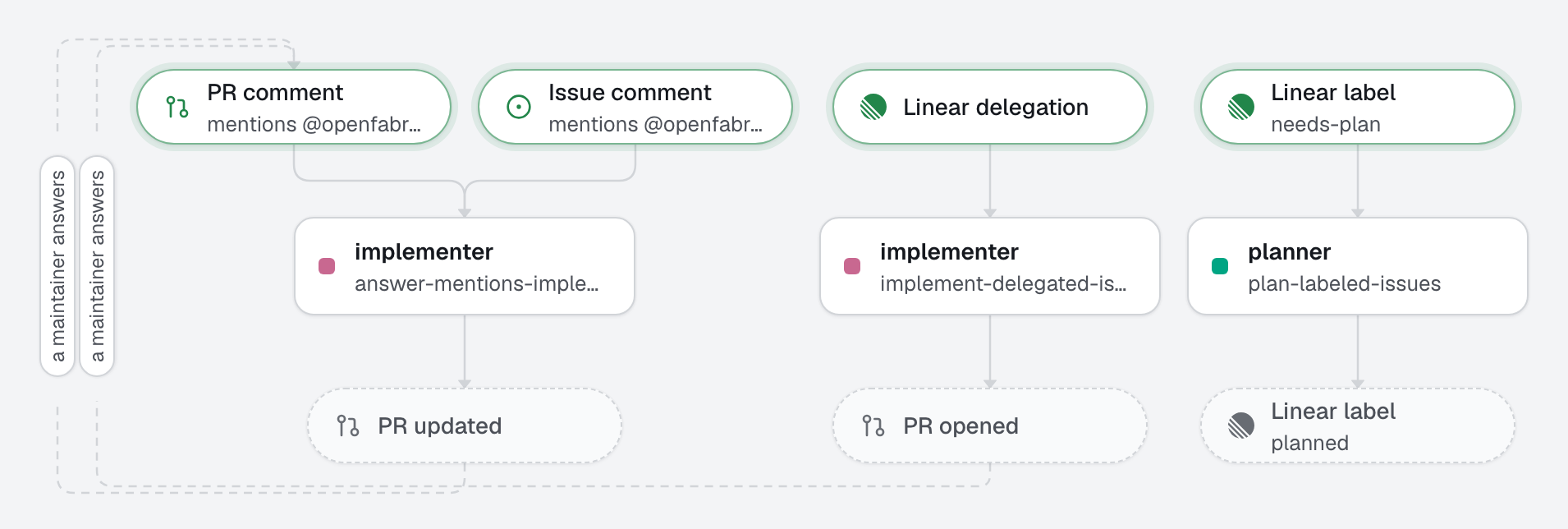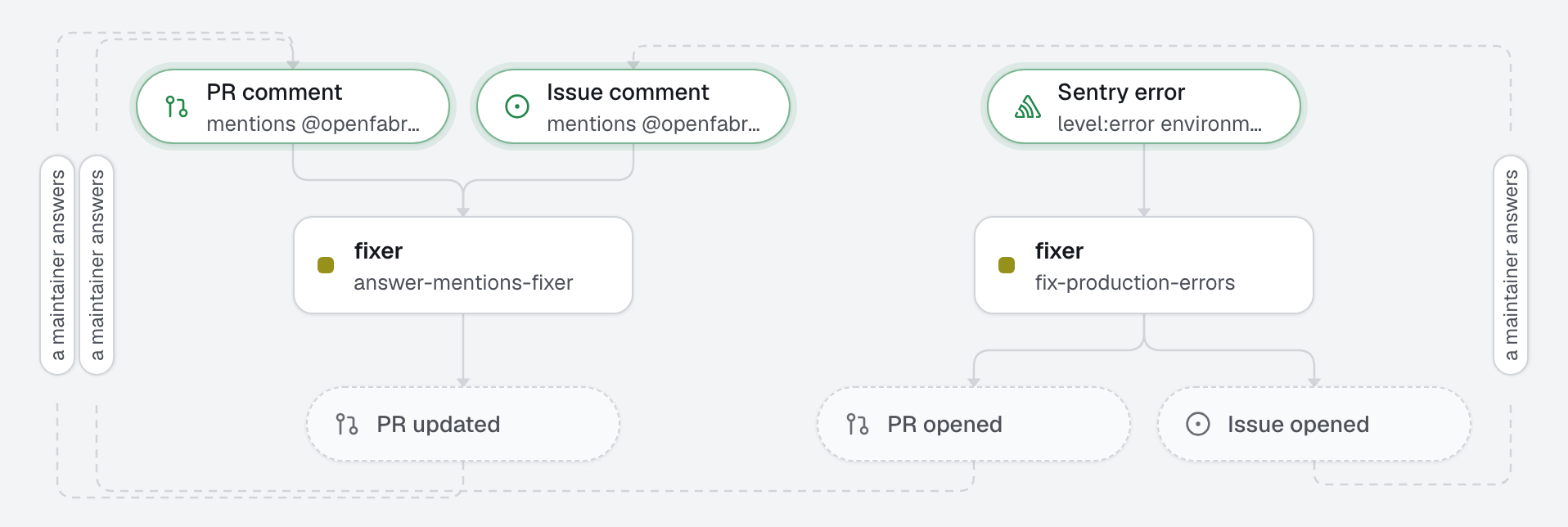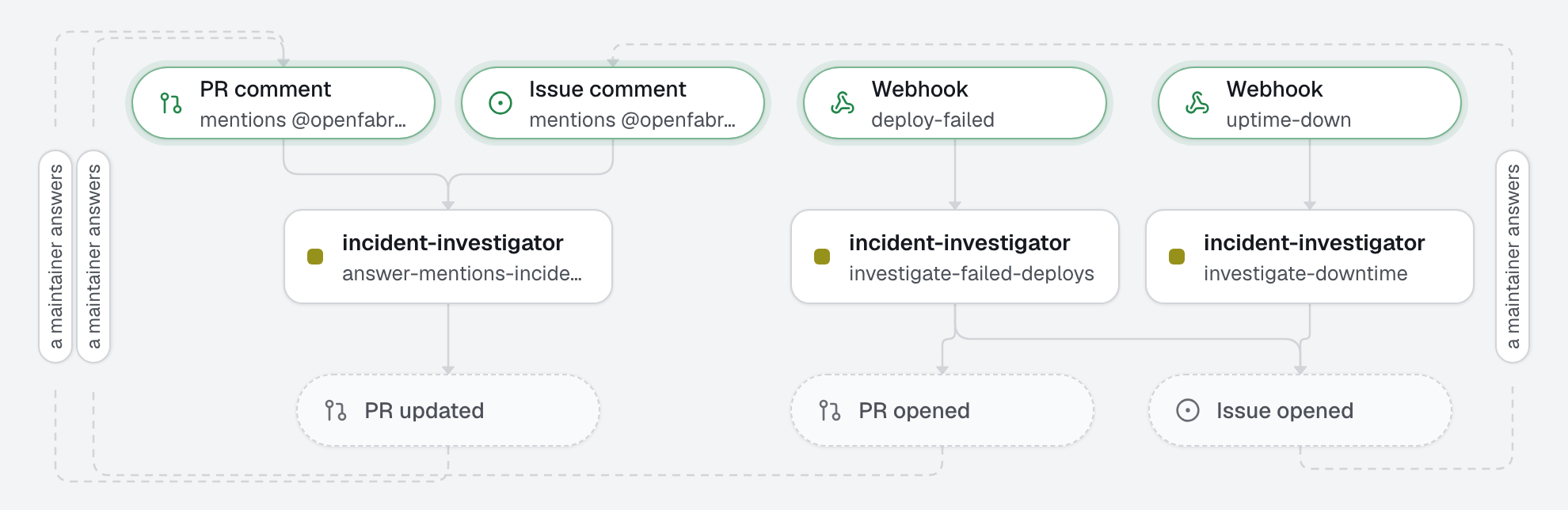
When a deploy fails or the site goes down, another service tells your relay, and the factory opens an incident issue: what failed, the commits that may have caused it, and what to do next. When one commit clearly broke the deploy, it also opens a pull request that reverts it. A human decides and merges.
The concept: webhooks and webhook.received. Any service that can send an HTTP request can start the factory, through your relay, which checks who sent it.
What this factory does
The relay answers the sender at once and keeps the request until openfabriq start takes it, even while the machine sleeps. The agent receives the body as JSON, marked as data, cut beyond 50 000 characters; the headers are not passed. A webhook has nowhere to reply, so only create_issue and create_pull_request make sense; the engine ends their body with "Started by the webhook <name>". When a run opens both, the incident issue comes first and the revert pull request names it, so each links to the other.
Tree
openfabriq/
├── factory.yaml                       webhooks (deploy-failed: standard, uptime-down: none), setup, commands, checks
├── agents/
│   └── incident-investigator/agent.md reads the payload and git history, writes the incident, may revert
└── automations/
    ├── investigate-failed-deploys/    when: webhook.received deploy-failed; can: create_issue, create_pull_request
    └── investigate-downtime/          when: webhook.received uptime-down; can: create_issue
Who can start it
maintainers do not apply: the signature is the gate. Each signature word is a way for the sender to prove it is who it says:
signature | The sender proves it by… | Secret |
|---|---|---|
github | X-Hub-Signature-256, HMAC-SHA256 of the body | generated by connect webhook |
sentry | Sentry-Hook-Signature, HMAC-SHA256 of the body | the integration's Client Secret, pasted in connect webhook |
stripe | Stripe-Signature, HMAC-SHA256 of the timestamp and the body | Stripe's signing secret (whsec_…), pasted in connect webhook |
standard | the Standard Webhooks specification (webhook-id, webhook-timestamp, webhook-signature) | generated by connect webhook (whsec_…) |
none | nothing: the secret is the last part of the address | generated by connect webhook |
The relay refuses an unknown webhook or a bad signature (401), a timestamp more than 5 minutes off for stripe and standard, and a body over 1 MB. A delivery it has already seen in the last 7 days (same webhook-id, or the same body when the sender gives no id) does not start a second run.
none is the weakest: anyone who sees the address can start a run. That is why uptime-down may only open an issue, never a pull request. Use none only for a sender that cannot sign, and keep its address private.
A stolen secret lets someone forge alerts: the cost stays within usd_per_day, and the outputs within can. The agent cannot see existing issues, so two alerts for the same incident open two issues; concurrency: repository runs them one after the other.
Make it yours
- Copy the
openfabriq/folder to the root of your repository. - In
factory.yaml, replacerepository,maintainers,setupand thecommands. Rename the webhooks if you like; set eachsignatureto what its sender supports. A webhook name must be unique on the engine's machine. - Set up the relay, once per machine:
openfabriq connect relay. It deploys it to your Cloudflare account (a free one is enough), or checks one you run yourself (--url). - Run
openfabriq planandopenfabriq apply:connect webhookreads the applied factory. - Run
openfabriq connect webhook deploy-failed. It gives the relay a new secret and prints the URL and the secret, once. Paste both in your deploy platform's webhook settings (any sender that supports Standard Webhooks), for failed deploys only. To try it before your platform sends one, sign a request yourself, with the URL and the secret it printed:URL='<the URL>'; SECRET='<the secret>' id=msg_$(date +%s); ts=$(date +%s); body='{"status":"failed","environment":"production"}' key=$(printf '%s' "${SECRET#whsec_}" | base64 -d | od -An -tx1 | tr -d ' \n') sig=$(printf '%s' "$id.$ts.$body" | openssl dgst -sha256 -mac HMAC -macopt "hexkey:$key" -binary | base64) curl -X POST "$URL" -H 'Content-Type: application/json' -H "webhook-id: $id" -H "webhook-timestamp: $ts" -H "webhook-signature: v1,$sig" -d "$body" - Run
openfabriq connect webhook uptime-down. It prints one address with the secret in it: paste it in your uptime monitor's webhook settings. To try it:curl -X POST '<the address>' -H 'Content-Type: application/json' -d '{"status":"down","url":"https://example.com","since":"2026-11-03T09:12:00Z"}' openfabriq start. To change a secret, runconnect webhook <name>again; to stop accepting a webhook,openfabriq connect webhook <name> --remove. Removing it fromfactory.yamlis not enough: the relay accepts it until then, andplanreminds you.