Reference
CLI
Every openfabriq command.
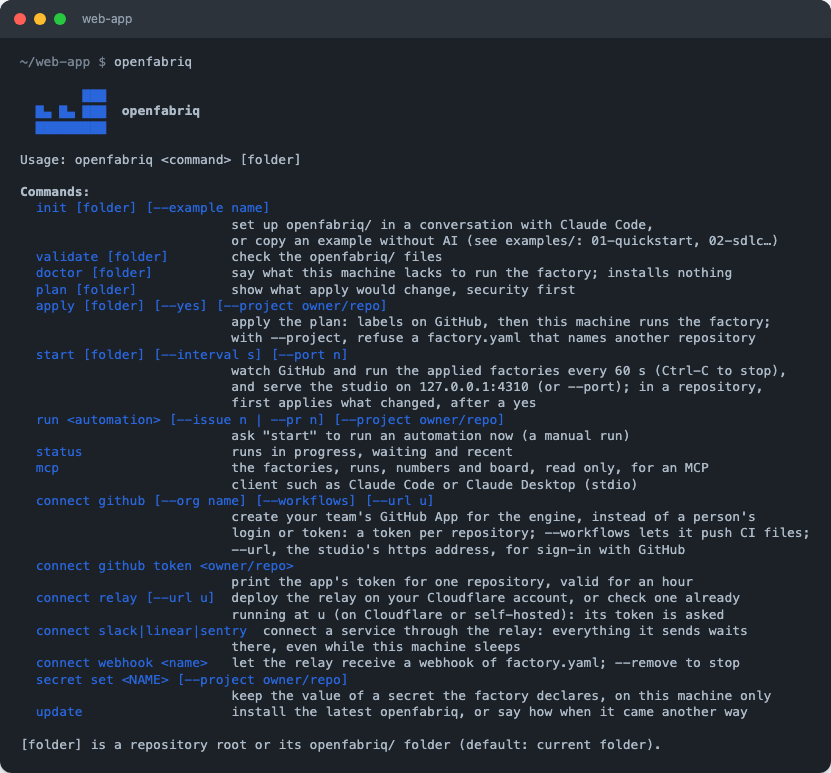
[folder] is a repository root or its openfabriq/ folder, the current folder by default. openfabriq --help, or openfabriq alone, lists the commands.
Write and apply a factory
| Command | What it does |
|---|---|
openfabriq init [folder] | Opens Claude Code with the setup skill: it reads the repository, asks a few questions, writes or changes openfabriq/, validates it and explains the plan |
openfabriq init --example <name> | Copies a template, with the repository and your login filled in |
openfabriq validate [folder] | Checks the files |
openfabriq doctor [folder] | Says what this machine lacks to run the factory: Claude Code, gh, git, the sandbox's tools on Linux, and every program setup, the commands and the MCP servers start (their first word). Prints each skill's compatibility (what it needs) without checking it. Names the sites the factory calls outside its network, and the sites its last runs were refused. Installs and runs nothing |
openfabriq plan [folder] | Shows what apply would change, security changes first |
openfabriq apply [folder] [--yes] [--project owner/repo] | Creates the labels on GitHub, then this machine runs the factory. Shows the plan and asks "Apply this plan to owner/repo?"; --yes skips the question, for a script. --project refuses a factory.yaml that names another repository |
Run the factory
| Command | What it does |
|---|---|
openfabriq start [folder] [--interval s] [--port n] | Watches and runs every applied factory, every 60 seconds by default (--interval or OPENFABRIQ_INTERVAL, 10 or more). Serves the studio on 127.0.0.1:4310 (--port for another), at the address it prints with ?token=. One engine per engine folder (~/.openfabriq, or OPENFABRIQ_HOME): a second start on the same folder refuses. In a repository whose factory changed, it first shows the plan and applies it once you confirm. At most 4 runs at once, all projects together (OPENFABRIQ_MAX_RUNS, 1 to 32); the others wait. Ctrl-C stops it |
openfabriq status | Lists the runs in progress, waiting and recent |
openfabriq mcp | Serves the factories, their runs, numbers and board, read only, to an MCP client such as Claude Code or Claude Desktop, over stdio. See MCP server |
openfabriq update | Installs the latest openfabriq with npm, or brew upgrade when Homebrew installed it. From the sources or in Docker, says how to update instead. start prints a line when a new version is out |
openfabriq run <automation> [--issue n | --pr n] [--project owner/repo] | Asks start to run an automation now. Only one with a GitHub event or a schedule in when, not one that starts only from Slack, Linear, Sentry or a webhook. --issue or --pr when it starts on one, neither when it runs on the whole repository. openfabriq run wiki generates or updates the wiki |
Connect services and secrets
| Command | What it does |
|---|---|
openfabriq connect github [--org name] [--workflows] [--url u] | Creates your team's GitHub App and saves its key on this machine; the engine then works as the app, with a token per repository, instead of gh's login. Prints GITHUB_APP_ID and GITHUB_APP_PRIVATE_KEY for a server. --org: an organization owns the app. --workflows: also asks for Workflows: write, so the app can push to .github/workflows/. --url, the studio's https address: the app also handles sign-in with GitHub, and the command prints GITHUB_APP_CLIENT_ID and GITHUB_APP_CLIENT_SECRET. See A GitHub App instead of a token |
openfabriq connect github token <owner/repo> | Prints the app's token for one repository, valid for an hour, for a script: GH_TOKEN=$(openfabriq connect github token acme/web-app) gh repo clone acme/web-app |
openfabriq connect relay [--url u] | Deploys the relay on your Cloudflare account, or connects to one running at u. Every service below goes through it |
openfabriq connect slack | Points a Slack app at the relay; the bot token stays on this machine |
openfabriq connect linear | Installs openfabriq as an app in Linear, through the relay: labels and delegation |
openfabriq connect sentry | Tests a Sentry auth token and gives it to the relay, which looks for new issues |
openfabriq connect webhook <name> [--remove] | Lets the relay receive a webhook of factory.yaml, or stops it |
openfabriq secret set <NAME> [--project owner/repo] | Asks for the value of a secret the factory declares, and stores it on this machine only |
Environment
The data folder (OPENFABRIQ_HOME), service tokens, an Anthropic API key, the studio's password and address, and the factory's secret values: see Environment variables.
The studio without the engine
To read past runs without polling, serve the studio from the sources:
pnpm --filter @openfabriq/studio serve                 # prints http://127.0.0.1:4310/?token=…
PORT=4399 pnpm --filter @openfabriq/studio serve --fake-chat