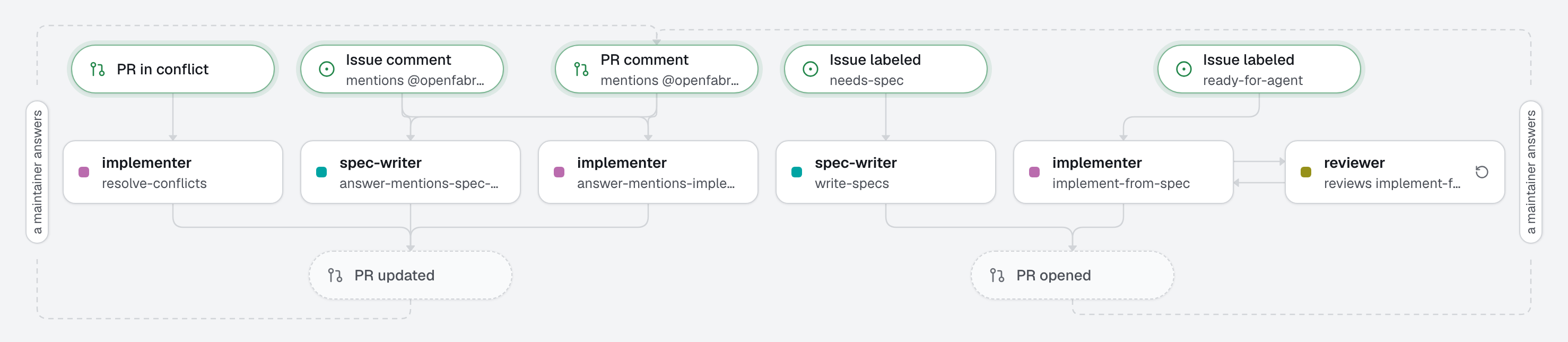
For changes worth thinking about before building, the spec comes first, and a person approves it. A maintainer adds needs-spec to an issue: an agent writes the spec (problem, goals, non-goals, design, acceptance criteria, open questions) and proposes it as a pull request with no code. A human reviews it, answers the open questions, and merges it. Only then, when they add ready-for-agent, does an agent build from the merged spec. Before the code pull request opens, a reviewer on a different model checks the change against the spec, criterion by criterion, in a real browser for what shows in the app, and sends its findings back to the implementer until it approves: nothing of that loop is written on GitHub. A human merges the code too.
What this factory does
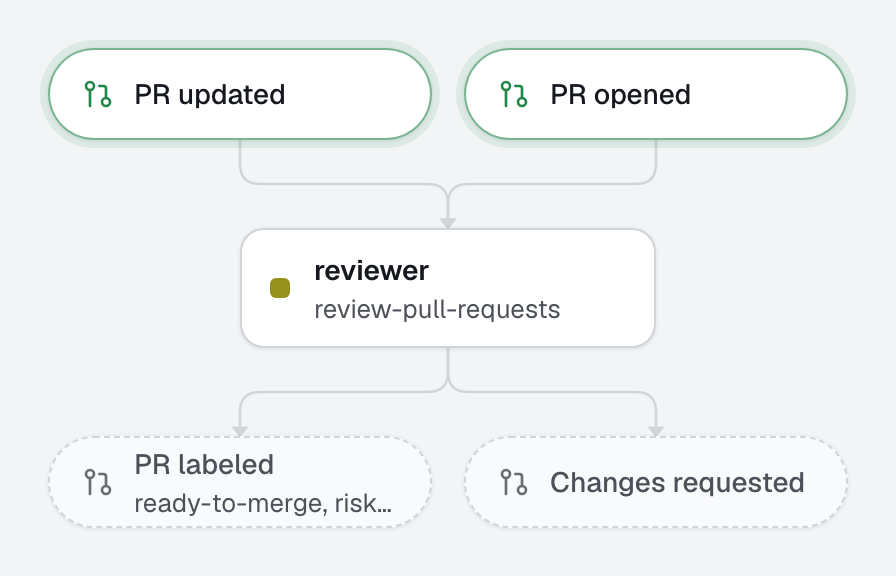
The review happens on the machine, before anything reaches GitHub: when the implementer finishes and the checks pass, the engine runs the reviewer on its change (reviewed_by), and sends the findings back to the implementer until it approves. The pull request then opens with one line on the review, ready-to-merge and its risk. When the reviewer asks for a person, or after 3 rounds (review_rounds), it opens with needs-human and only the findings still open.
Why the gate is a merge
The implementer reads the spec from the default branch, so only a merged spec counts: a spec still in review, or one a person never approved, cannot start the build. Merging is the approval, and the spec stays in docs/specs/ as the record of what was decided and why. The spec pull request says "Refs #…", not "Closes", so the issue stays open until the code ships.
Spec pull requests are for people: the reviewer reads only the implementer's code, and a conflict on a pull request that only changes docs/specs/ is left to people (ignore_paths). To change a spec, edit it in its pull request, or comment and edit it yourself.
Proof in a browser
The spec marks the acceptance criteria that show in the app (visible). For each, the implementer follows the browser-evidence skill: it checks the criterion with agent-browser and commits one screenshot in evidence/<issue>/, shown in the pull request under the criterion it proves. The reviewer changes nothing: it runs the same scenario in its own browser and says, criterion by criterion, whether the browser agrees. Drop evidence/ before merging if you do not want the screenshots in your history.
Tree
openfabriq/
├── factory.yaml                          setup, commands (dev among them), checks, review_rounds
├── agents/
│   ├── spec-writer/agent.md              writes the spec, no code; gaps become open questions
│   ├── implementer/agent.md              builds from the merged spec, proves each criterion
│   └── reviewer/agent.md                 reviews the change against the spec before the pull request exists (opus)
├── automations/
│   ├── write-specs/                      when: issue.labeled needs-spec
│   ├── implement-from-spec/              when: issue.labeled ready-for-agent, reviewed by reviewer
│   └── resolve-conflicts/                when: pull_request.conflicted (not docs/specs/**)
└── skills/
    ├── browser-evidence/SKILL.md         check a visible criterion with agent-browser, screenshots as proof
    └── test-driven-development/SKILL.md  test first, red then green, the failing run as proof
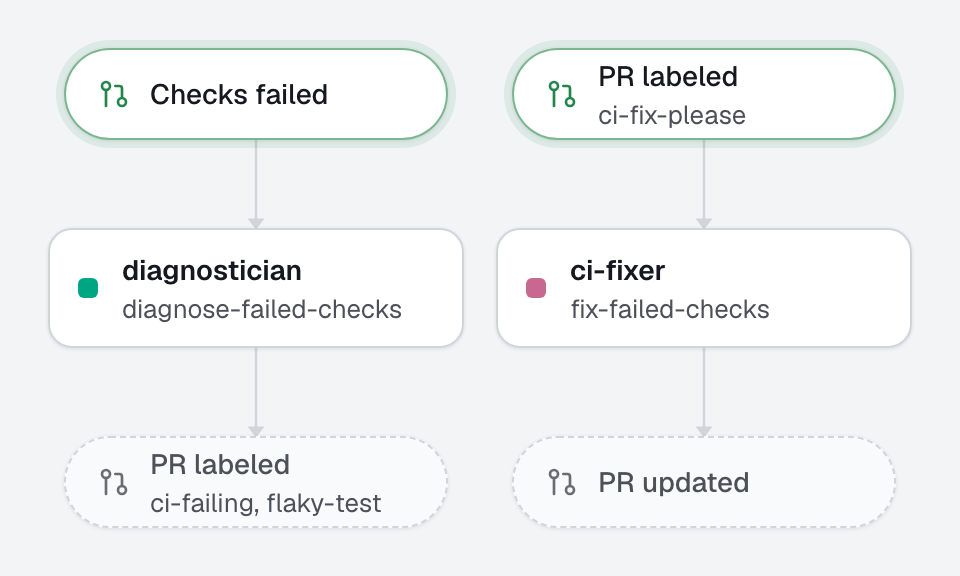
The checks (test, lint, typecheck) run before any pull request leaves the machine; code that fails them is not published.
Make it yours
- Copy the
openfabriq/folder to the root of your repository. - In
factory.yaml, replacerepository,maintainers,setupand the commands. If your app does not answer onhttp://localhost:3000, change the address inskills/browser-evidence/SKILL.md. - Install agent-browser on the engine's machine:
openfabriq doctorprints the command, from the skill'scompatibility(the engine's Docker image has it). - If your specs live elsewhere than
docs/specs/, change the path in the agents and in theignore_pathsofresolve-conflicts. - Run
openfabriq plan: it lists the labels it will create (needs-spec,ready-for-agent,ready-to-merge,needs-human). openfabriq apply, thenopenfabriq start.- Add
needs-specto an issue. Review and merge the spec, then addready-for-agent.